DocketManager + Zapier AI: Quotes

DM Summer Update
August 31, 20263 Ways to Create a Quote in DocketManager with Zapier AI
Quoting is one of those tasks where the right entry point can save real time, especially when a request comes in somewhere other than DocketManager itself. Zapier's AI tools give DocketManager's Import Quote Request three very different entry points for building a quote, each suited to a different moment in your workflow. Here's a look at all three.1. Type It Into Slack, Get a Price Back Instantly
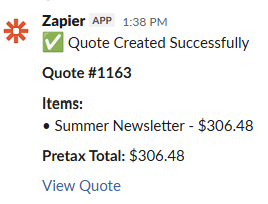
If your team is already living in Slack (or another messaging app) all day, the fastest path to a quote is typing it right there. With a Zapier AI step watching your channel, you can drop in a request using a consistent, predictable format (customer name, company, and a line for each product with its specs) and let the automation do the rest.The AI step reads the message, matches each line to the right product in DocketManager, and fills in as many fields as it can from the description alone: quantity, size, stock, press, and finishing. A moment later, a price comes back in the same thread.
For example, someone could type:
Create a quote for Irene Willows at Flowers By Irene
2000 Summer Newsletters, 11x17, 60lb Offset stock, black and white 1 side
And in moments, they'd have a priced quote without ever opening DocketManager directly. This method works best when the person requesting the quote already knows print specs cold, it's built for speed, not for translating vague requests.
2. Let Client Emails Kick Off a Quote
Not every request comes in fully specified. A client email might say "we need 500 flyers for our spring event, something eye-catching," plenty to start a conversation, not nearly enough to price a job. This method is built for exactly that gap.A Zap watching your quote inbox pulls the email into DocketManager and uses AI to pull out whatever it can: customer info, rough quantities, any product hints. But because client emails rarely include full specs (stock weight, coating, bleed, finishing), the quote comes in as a starting point rather than a finished one. It lands in DocketManager already tied to the right customer and roughly the right product, so your team's job shifts from data entry to a quick round of "just need a couple more details" rather than starting from a blank screen.
This is less about instant pricing and more about not losing momentum on inbound leads. The quote exists the moment the email lands, even if it needs a human pass before it goes out.

3. Use an Online Form for Complete, Structured Requests
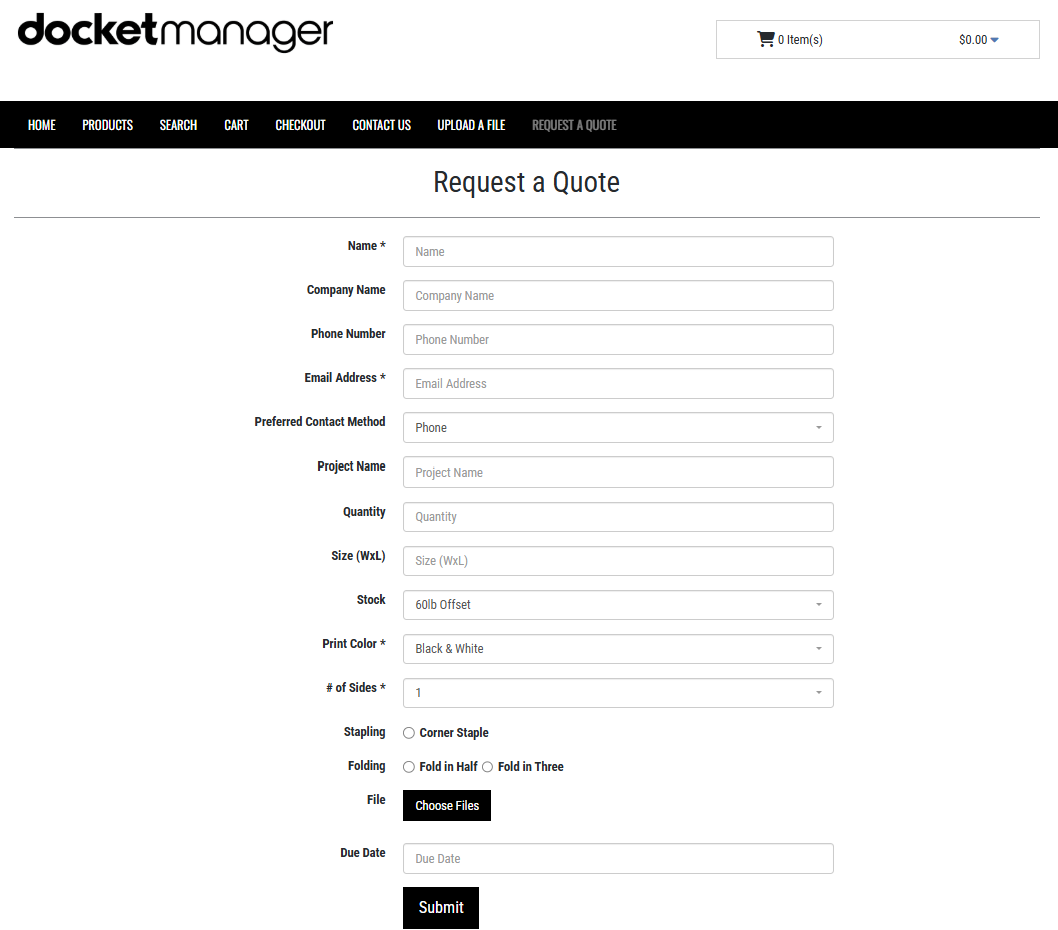
The third option flips the first one around: instead of free text that AI has to interpret, a form gives customers or sales reps a structured set of fields to fill in (product type, quantity, size, stock, printing, finishing) before anything ever reaches DocketManager.Because the form enforces what information is required, the Zap that fires on submission has everything it needs to create a fully specified quote automatically, with no interpretation required. This is the most reliable method when you want guaranteed-complete data and are willing to trade a little speed and flexibility for consistency, especially useful for repeat customers, standing order types, or any workflow where you'd rather prevent missing specs than catch them after the fact.
Which One Should You Use?
None of these methods is strictly "better." They solve different problems:- Slack/messaging is fastest when your team already knows exactly what they're quoting.
- Email-triggered quotes keep inbound leads moving even when the client's request is incomplete.
- Online forms trade a bit of speed for complete, structured data every time.
Many shops end up running two or three of these in parallel: a form for customer-facing requests, Slack for internal quick-turns, and email parsing as a safety net for however things actually land in the inbox. The point of connecting Zapier AI to DocketManager isn't to pick one workflow and force everything through it. It's to meet each request where it already shows up.