FAQ – Hidden Features: Part 12

New Feature: Online Forms
May 20, 2026
DM Summer Update
August 31, 2026Did you know? There are some features you might not know about
Based on some frequently asked questions, here is part 12 of a list of hidden but very helpful features you might not know about.
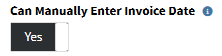
Can Manually Enter Invoice Date
Give your team the flexibility to set the exact invoice date an order needs — whether that's backdating for a specific billing cycle or just letting today's date apply automatically. No extra steps, no manual overrides.
This can be enabled on the financial page in the accounting section of settings.
This can be enabled on the financial page in the accounting section of settings.
Unpost Orders from Past Months
Made a mistake last month? No problem. This feature lets you unpost and correct orders from previous months, giving your team the flexibility to fix errors without waiting for next month's cycle.
This can be enabled on the financial page in the accounting section of settings.
This can be enabled on the financial page in the accounting section of settings.


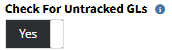
Check For Untracked GLs
Catch GL issues before they become accounting headaches. When turned on, the system automatically checks for untracked GLs tied to an order and its items, and won't let it post until everything's resolved.
This can be enabled on the financial page in the accounting section of settings.
This can be enabled on the financial page in the accounting section of settings.
What features will you use?